

Shopify Plus Experts
TakeMighty.com's default SKIO subscription widget buried options in a dropdown that customers struggled to parse. We replaced it with a fully custom buy box — presenting subscription plans clearly, separately, and in a layout the merchant can configure without touching code.
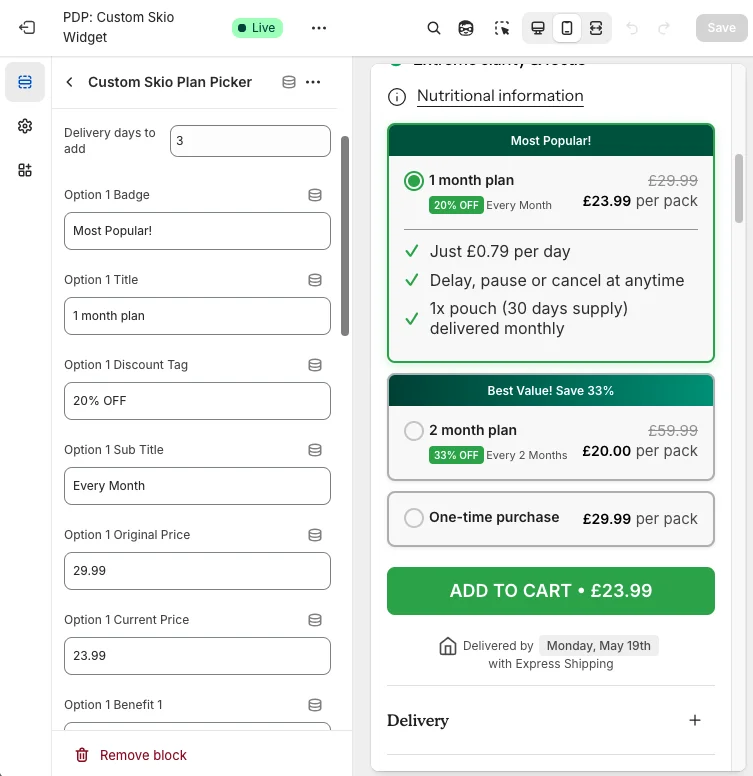
The default SKIO dropdown versus the custom buy box — the same subscription options, presented in a way customers can actually compare.
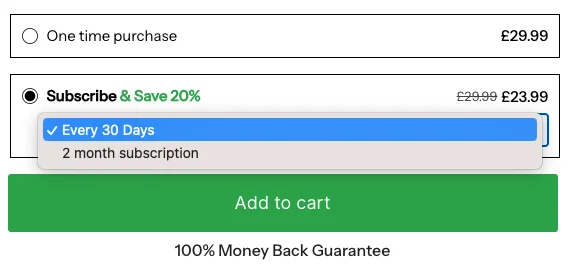
Subscription products live or die by how clearly they communicate value at the point of purchase. A dropdown that collapses options into a single line forces customers to work to understand what they are buying — and most do not bother.
Subscription products change — pricing, plan structure, promotional messaging. A custom widget that required developer involvement for every update would become a bottleneck. The brief made self-serve editing a first-class requirement alongside the visual redesign.
That shaped how the widget was built from the start: every configurable element exposed through Shopify's Theme Customizer, so the merchant team could update layout, styles, and branding independently of the development process.
A fully custom SKIO subscription buy box that presents one-month and two-month plans as clear, separate options — integrated with SKIO's subscription logic and configurable end-to-end through the Theme Customizer.
As an official SKIO partner, we had direct familiarity with SKIO's integration model — which meant we could move quickly without reverse-engineering the subscription logic. The custom widget was built to sit cleanly on top of the existing SKIO layer rather than replacing it.
Every configurable element was mapped to a Theme Customizer schema setting from the start. This is not an afterthought — it is how the widget was designed: the merchant experience was treated as part of the feature, not a wrapper added at the end.
Speed and correctness both mattered here. Our existing SKIO partnership meant we already understood the integration constraints — so we could focus the build time on the UI and the merchant tooling rather than exploration.
We reviewed Take Mighty's existing SKIO setup, designed the plan display layout, and defined the Theme Customizer schema that would give the merchant team full control over the widget's appearance and content without developer involvement.
The buy box was built against the live SKIO integration, tested across devices and subscription states, and delivered with a merchant walkthrough so the Take Mighty team could make updates independently from day one.
Take Mighty now has a product page buy box that presents subscription options clearly, fits their brand, and can be updated entirely without developer involvement — delivered on a fast turnaround by a team that already knew the SKIO integration inside out.
One-month and two-month subscriptions are displayed as distinct options — no dropdown, no hidden information, no friction between the customer and the decision.
The full widget — copy, layout, colours, and branding — is configurable through the Theme Customizer. The team can update it without filing a ticket.
Built as a scalable component, the buy box can be applied across the Take Mighty catalog and adapted for other Shopify merchants running SKIO subscriptions.
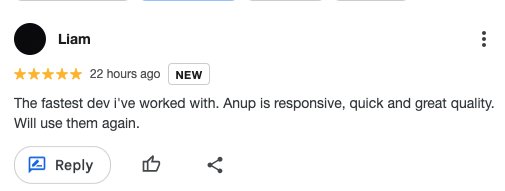
Straight from the Take Mighty team after delivery.
The default SKIO widget gets the job done, but it is not optimised for your brand or your customers. We have built the integration and the tooling before — so we can move fast and deliver something your team can actually operate.

