

Shopify Plus Experts
Stack Athletics wanted to let customers explore curated product combinations without losing control. The answer was a custom Kit Builder page built on top of native Shopify theme functionality — interactive, merchant-configurable, and reusable across the catalog without touching code.
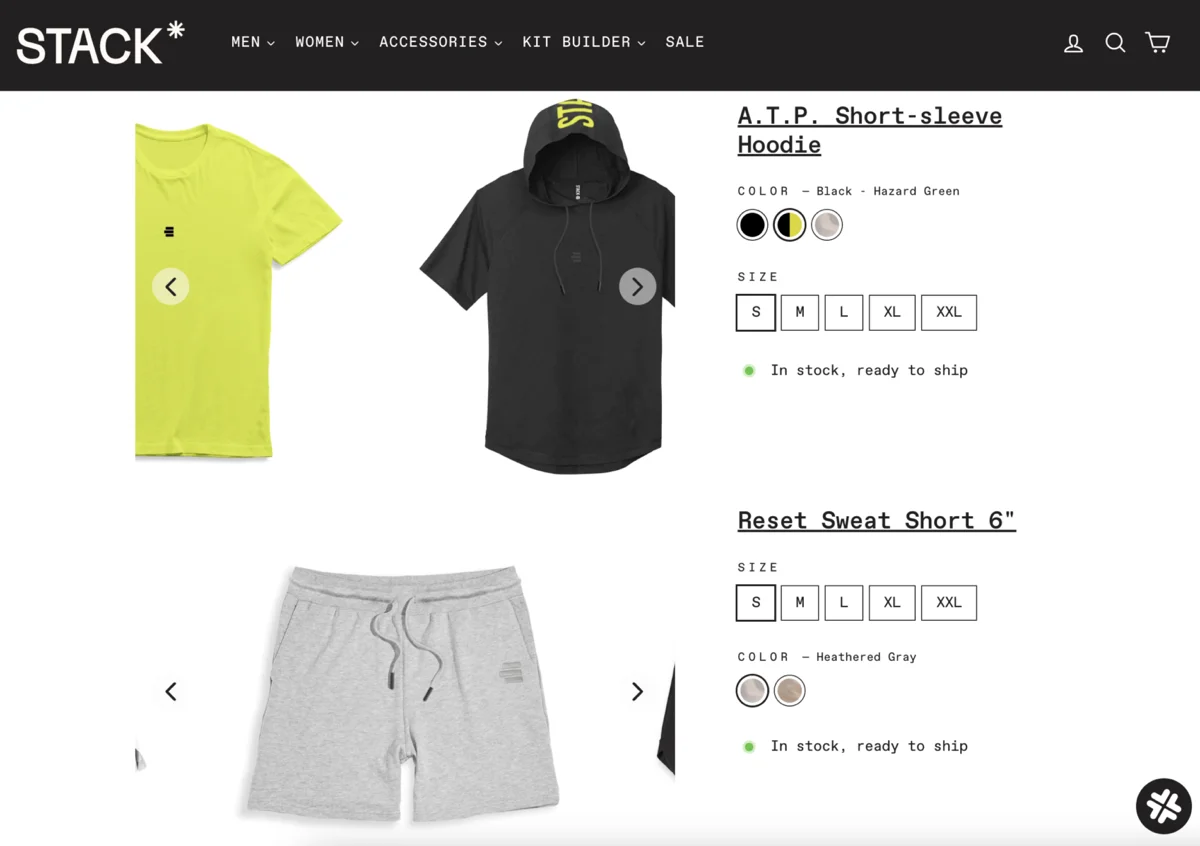
The Kit Builder in production — an interactive mix-and-match experience built natively into the Stack Athletics storefront.
Apparel shoppers browsing multi-product collections naturally want to see combinations together. Without a dedicated experience for that, they open multiple tabs and carry selections in their heads — a friction pattern that increases cognitive load and kills completion rates.
A one-off custom page would solve the immediate problem but create a dependency on developers every time Stack Athletics wanted to launch a new kit or update an existing one. The brief included making the tool genuinely self-serve so the merchant team could operate it without code.
That requirement shaped every implementation decision — from how kit images are managed separately from standard PDP images, to how the Template Customizer exposes the right controls without overwhelming non-technical users.
The Kit Builder is a double carousel PDP that lets customers change one product at a time and see combinations update live. It was built on top of functionality already in the theme to keep the footprint small and the experience consistent with the rest of the storefront.
Rather than introducing a new carousel library, we adapted the carousel logic already present in the theme. This kept the implementation lightweight, avoided adding to the JavaScript bundle, and ensured the Kit Builder rendered consistently with the rest of the store.
The practical challenge was that some of the theme JS was compiled and minified, which required careful work to understand the available hooks and adapt them for the nested carousel structure without breaking the original behaviour. We also had to ensure compatibility with active third-party app extensions that were modifying native theme functionality.
The key decisions were made early: use existing theme infrastructure where possible, build the merchant tooling as a first-class concern, and treat reusability as a launch requirement — not a nice-to-have for a future phase.
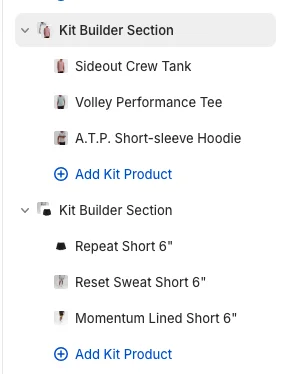
We mapped the theme's existing carousel logic, designed the double carousel interaction model, and defined the Theme Customizer schema that would give merchants control over kit contents and imagery without developer involvement.
The double carousel was implemented against the theme's minified JS, tested for compatibility with active third-party extensions, and QA'd across devices. Final delivery included a merchant walkthrough so the team could launch and manage new kits independently.
The Kit Builder gave Stack Athletics a genuinely new type of page on their storefront — interactive, self-serve, and reusable — without the performance or maintenance costs that typically come with custom Shopify development.
Customers mix and match their kit, then add every item to cart in a single action at the exclusive bundle price.
New kits are created and managed entirely through Theme Customizer. No developer involvement needed after launch.
One template powers every kit page. Stack Athletics can expand to as many kits as their catalog supports without additional builds.
The Kit Builder started as a specific client problem and became a reusable solution. That is how we approach custom builds: solve the real problem, build it to last, and make it something the merchant can actually operate.

